
For businesses that sell in chat
An online storefront for WhatsApp sellers
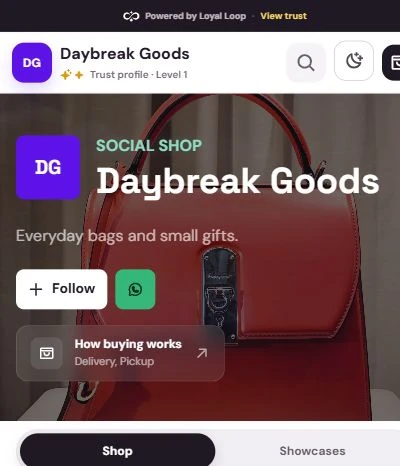
Share one shop link in your chats and Status. Customers can browse your products, see prices, and send an order request with the details you need.
From WhatsApp chat to order request
Share your storefront link
Add product photos and prices once, then paste your shop link into a WhatsApp chat or Status.
Let customers send the details
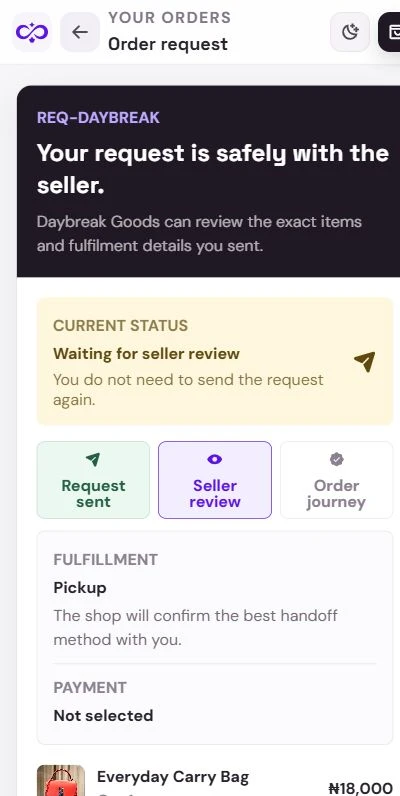
The customer opens your shop in their browser, picks an item, and sends an order request with their delivery choice.
Confirm the order
Review the request, confirm availability and the final price, and let your customer know what happens next.
Once the sale is confirmed, you can share a digital receipt and keep delivery updates with the order.
Good to know before you start
Do customers need to download an app?
Customers can browse your shop from the link in their phone’s browser.
Can I keep talking to customers on WhatsApp?
Yes. Send the storefront link from the WhatsApp account you already use and continue the conversation there whenever a customer has a question.
Does an order request mean the customer has paid?
An order request tells you what the customer wants. You review it and confirm the sale and payment details with the customer.
Give your customers one link to shop
Set up your storefront, add your products, and share it in the next WhatsApp conversation.
Request access Explore shops on Loyal Loop